


Keycard Shell Review 2026
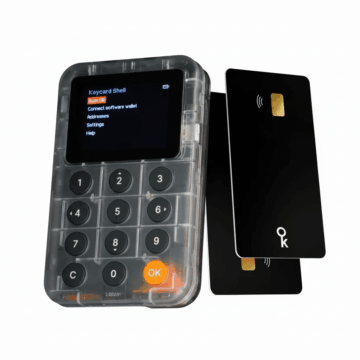
The world of crypto security is constantly evolving, and with the Keycard Shell, an interesting concept is entering the market that emphasizes modularity and open source principles. In this test report, I take a closer look at the device, which actually serves as an interface for the actual smartcard, the keycard. The concept differs from classic hardware wallets, as the “brain” and secure storage are physically separated from the interface.
First Impression
The Keycard Shell is the visible result of the Keycard project, which is part of the Institute of Free Technology (IFT ). The IFT focuses on promoting start-ups that develop digital public goods to strengthen civil rights.
Keycard is closely linked to the Status Network, which acts as the main supporter and is best known for the Status App – an application that combines a messenger, crypto wallet and Web3 browser.
The company is headquartered in Zug, Switzerland, a globally recognized center for cryptocurrencies. Under the leadership of Guy-Louis Grau, a dedicated team is driving development forward. As the entire project is based on open source principles, development is characterized by a high degree of transparency and is often significantly shaped by the community.
Buy keycard online
Hardware Wallets should preferably be ordered directly from the manufacturer or official resellers if possible. Dubious stores or private sellers on platforms like ebay or amazon could manipulate the devices for their own purposes or trick the buyer. This way, the thieves can steal all the coins from your hardware wallet at a later time. Unfortunately, there have already been such cases in the past.
The Keycard Shell is usually purchased directly from the company’s own store. The device is currently available at a price of 149,00 € (click here to check the current price). These are currently pre-orders, as delivery of the first batches is not planned until the end of 2025.
During the purchase process, it is noticeable that there are two different types of device: the shell and the keycards. Since the shell itself does not store any private keys, but leaves this task to the insertable keycards, these are usually supplied directly. The Keycard Shell Bundle therefore also contains two keycards.
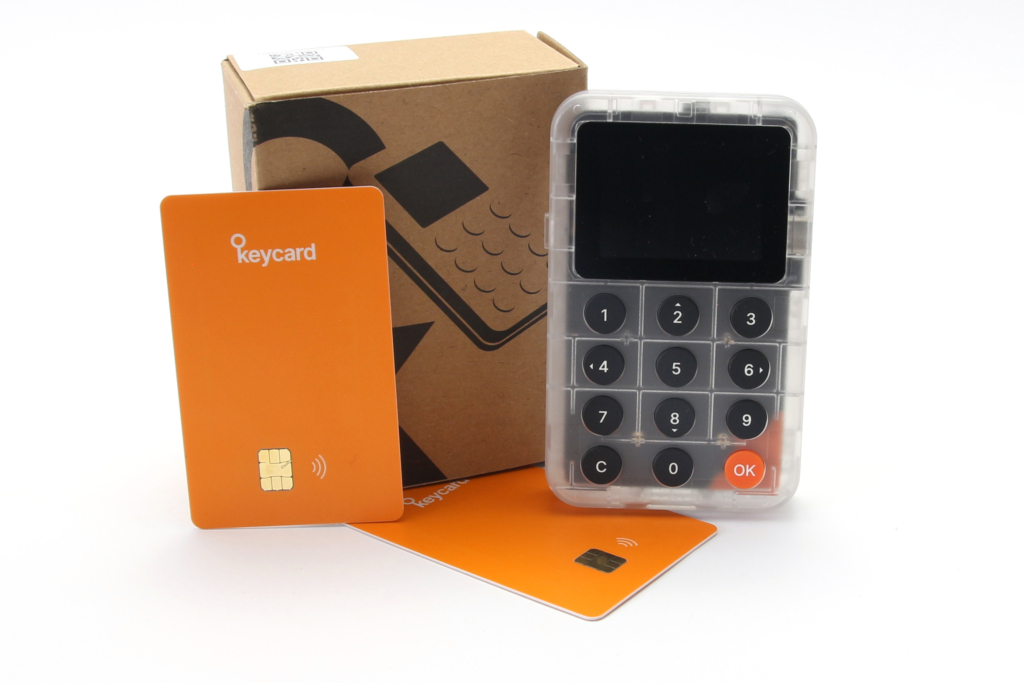
In terms of the color scheme, the device is more functional and technically oriented. While the keycards themselves appear in orange, the shell has a simple, partially transparent look that reveals the circuit board and emphasizes the open source character.
What’s in the box?
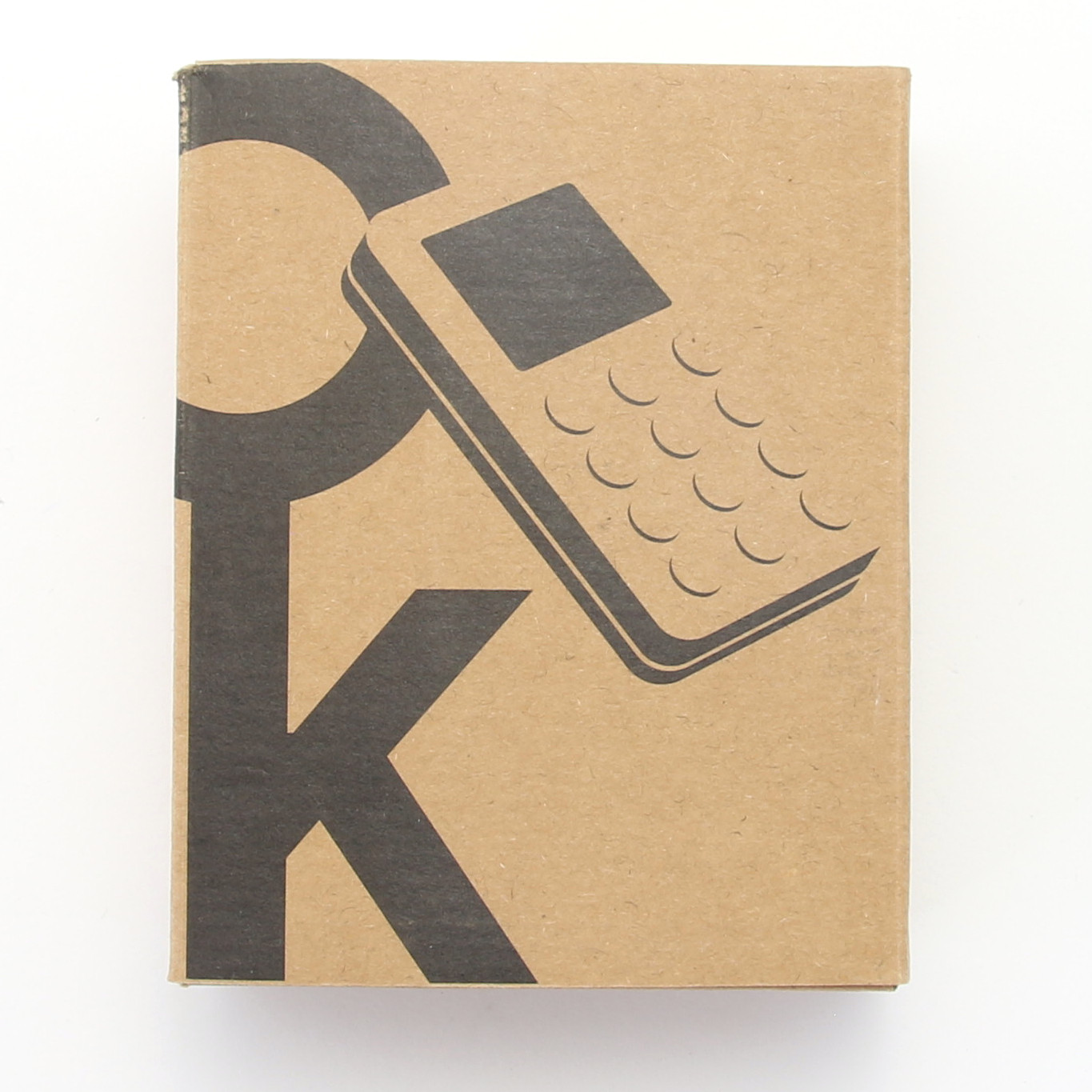
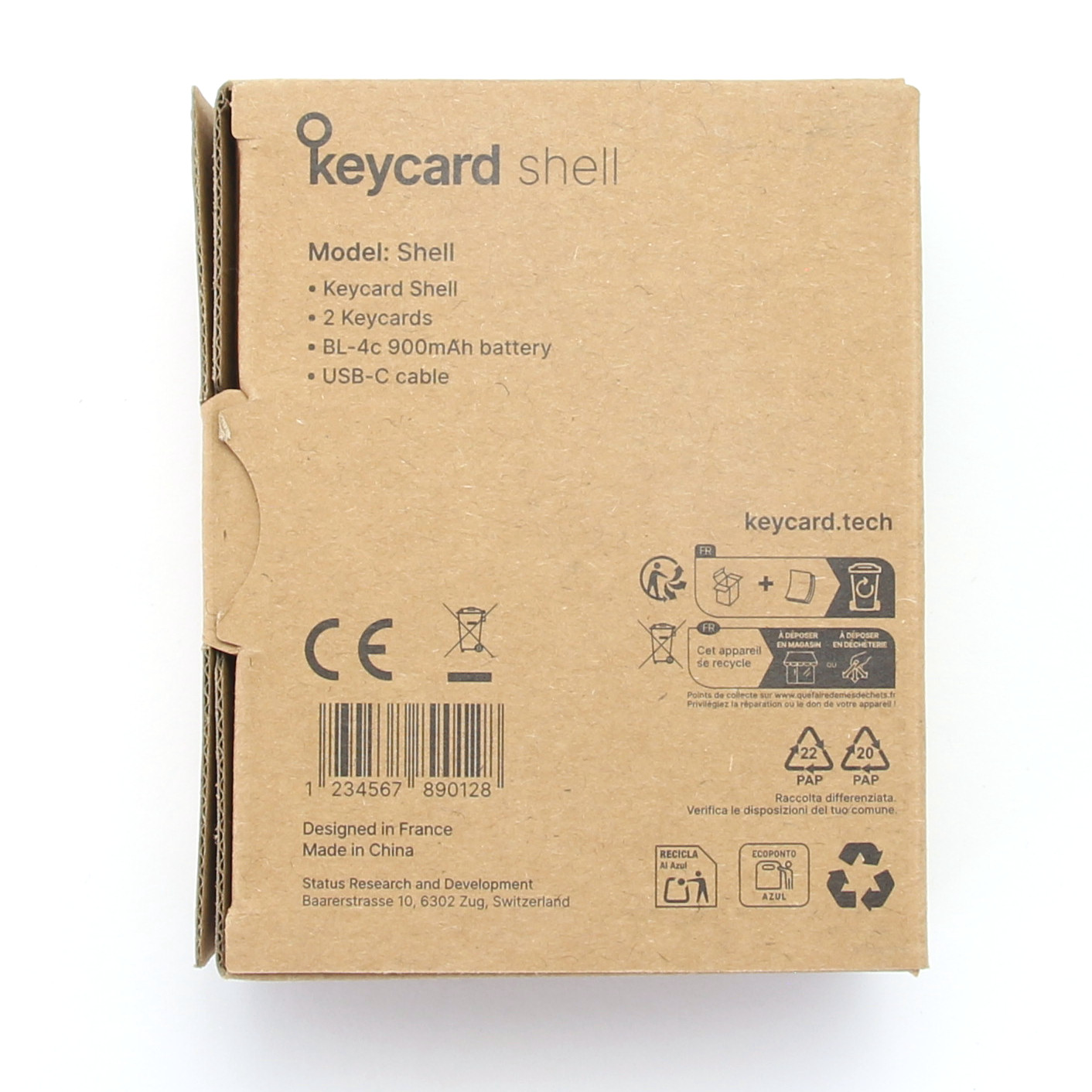
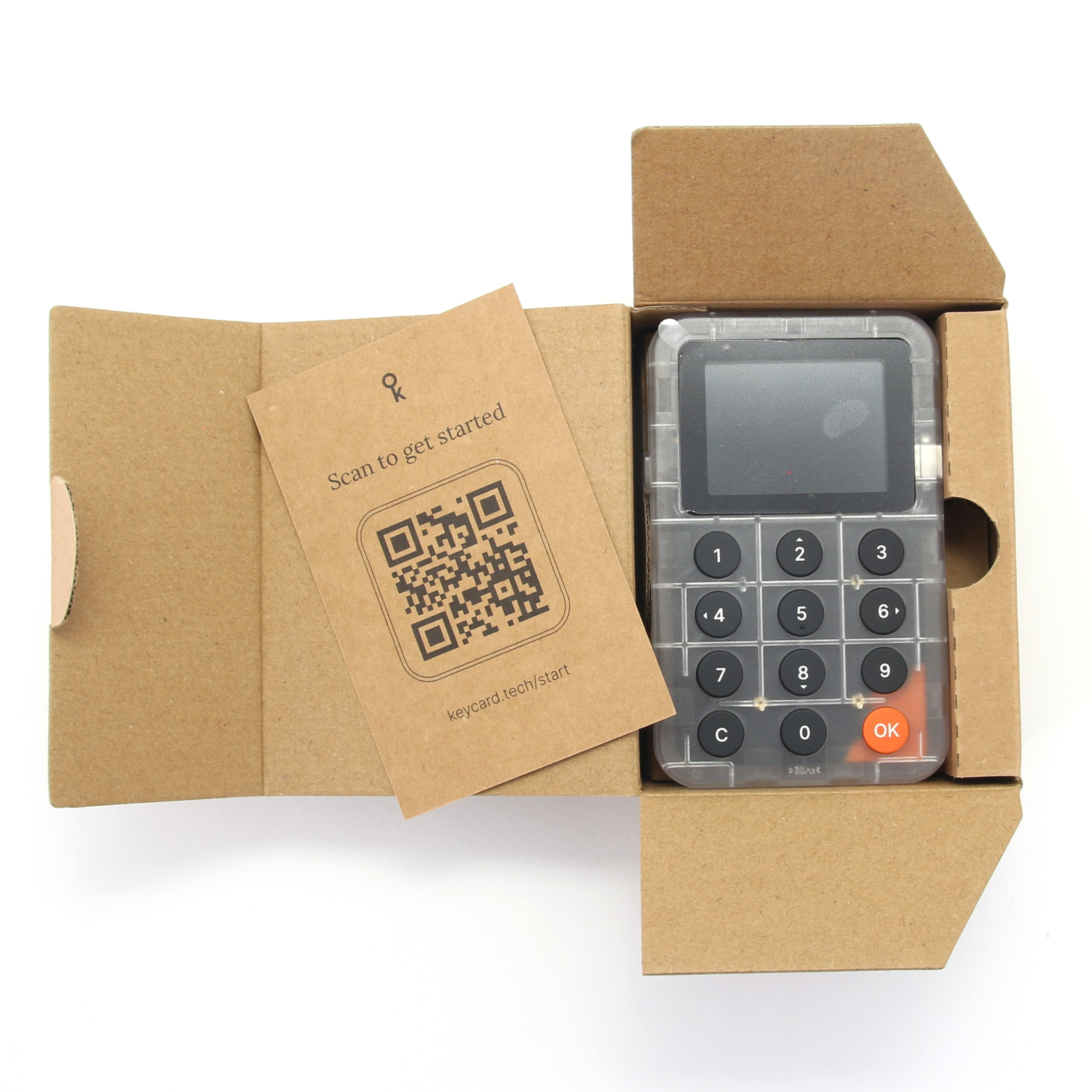
The packaging of the Keycard Shell is pleasingly simple and functional. The manufacturer relies on ecological packaging made from recycled cardboard, which is an important aspect in today’s world and stands out positively. In the box you will first find the centerpiece, the keycard shell itself. As the device has a modular design, the battery is supplied separately and must be inserted by the user.
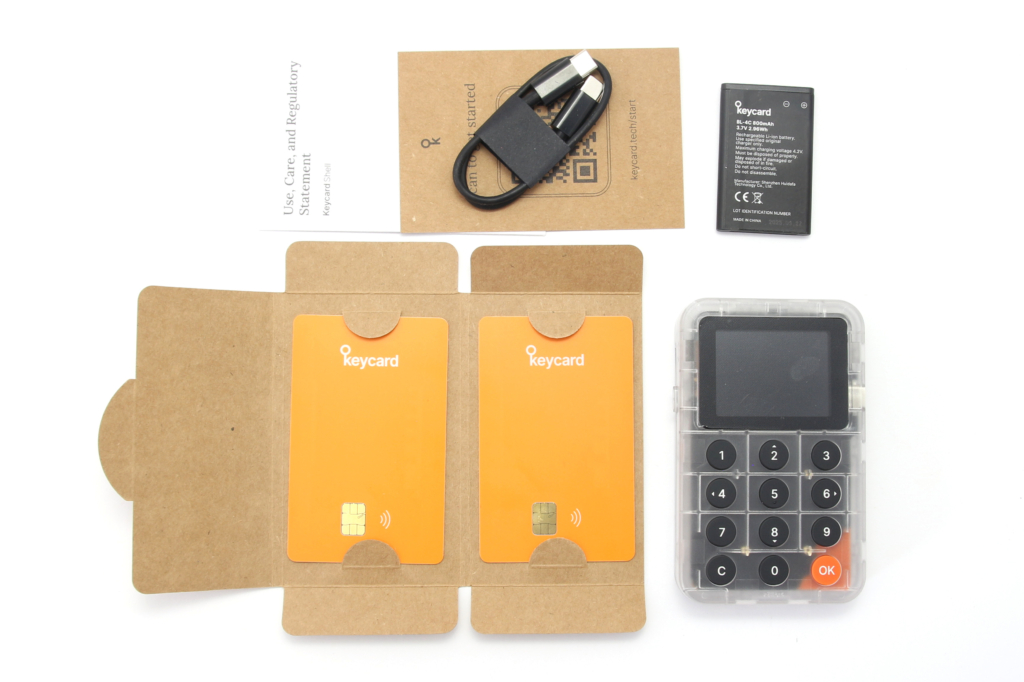
The smartcards are essential for use. Two keycards are included in the scope of delivery. This enables the user to set up a backup system immediately, with one card serving as the primary key and the second as a backup. A USB-C cable is included. A standard Nokia BL-4C battery is also included in the scope of delivery, which massively increases the longevity of the device, as you do not have to dispose of the entire device if the energy storage unit is defective.
There is no unnecessary plastic or glossy brochures, which underlines the pragmatic approach of the product.
Details of the Keycard Shell
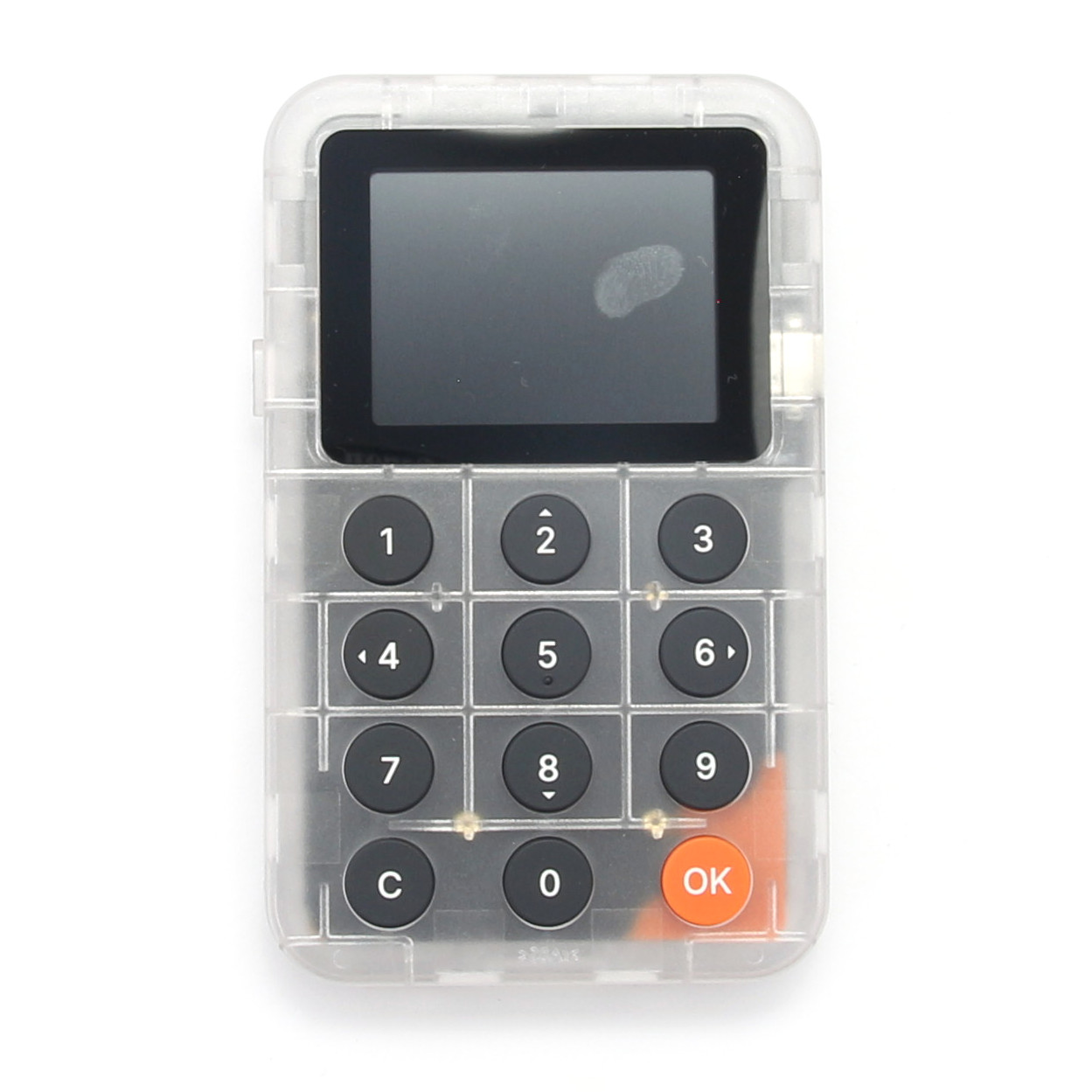
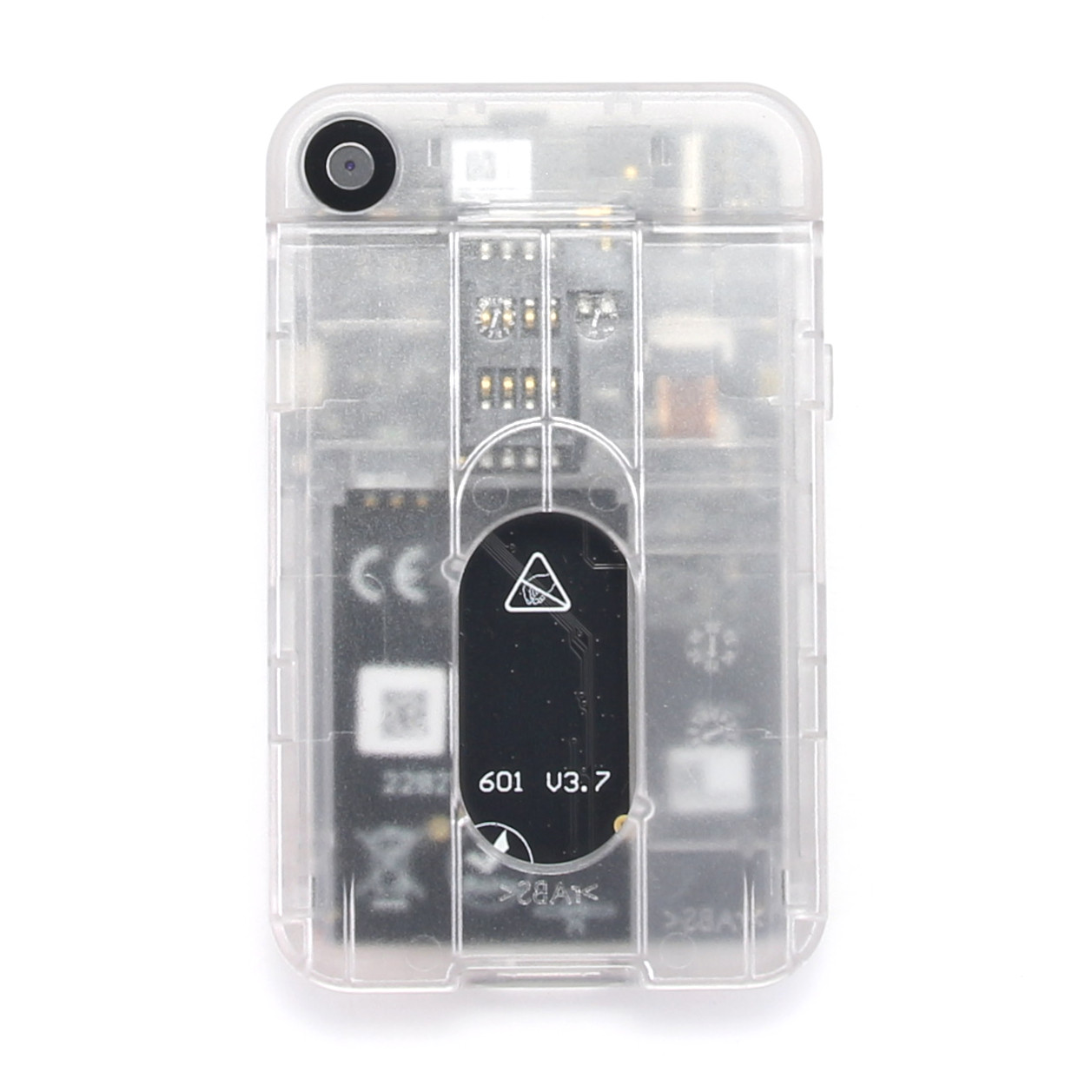
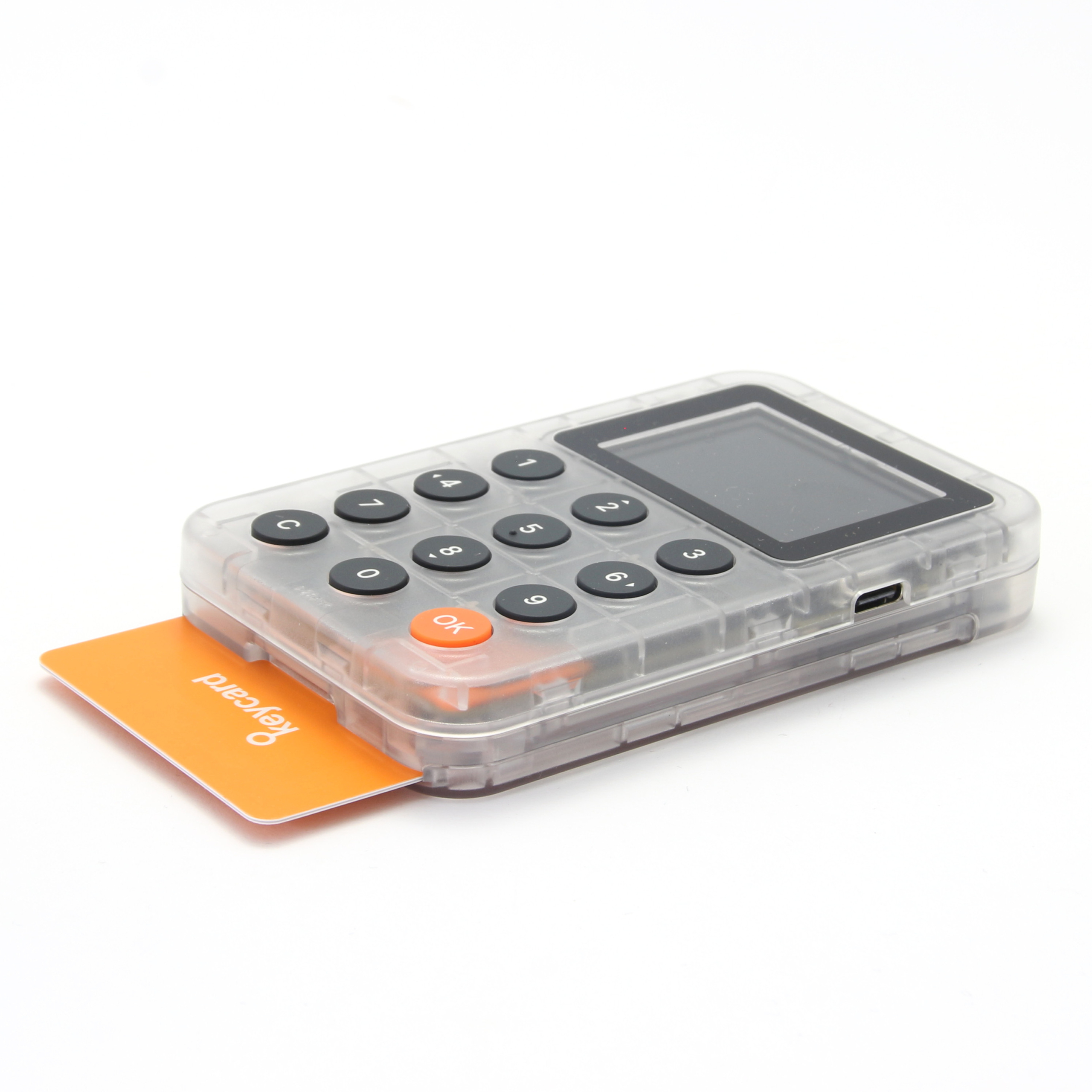
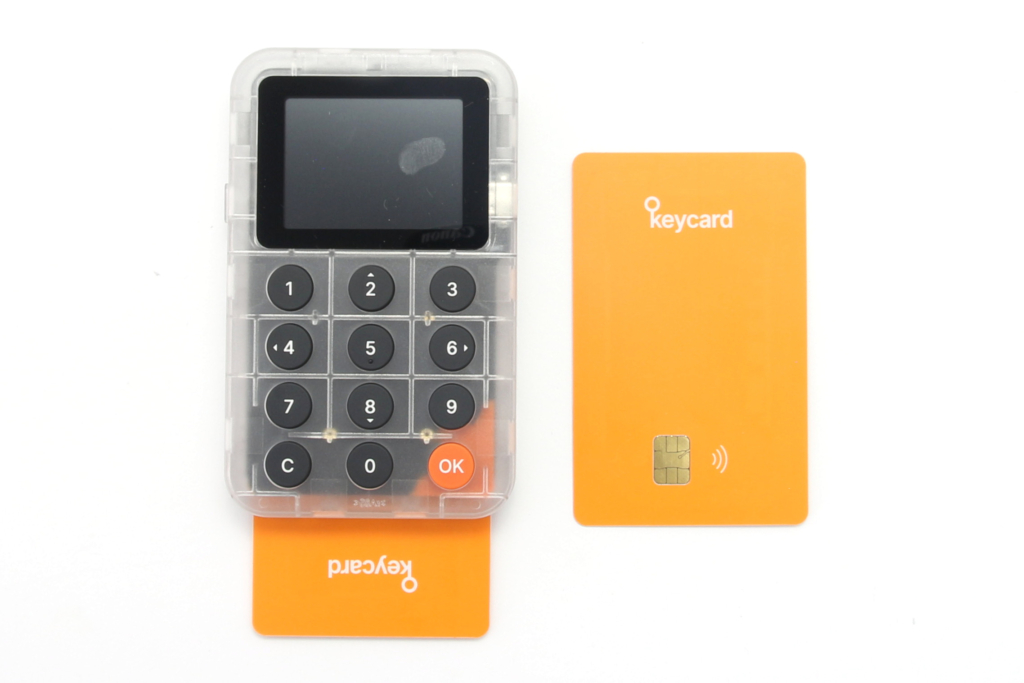
When you hold the Keycard Shell in your hand, you immediately notice the slightly thicker profile compared to a pure credit card, which is due to the integrated technology. The housing is made of polycarbonate and looks robust. With a thickness of around 15 millimeters, it has a good grip but is not too bulky. The front is dominated by a display measuring around 2 inches and a physical keypad with the numbers 0 to 9 for PIN entry.
There is also an orange “OK” button and a Clear button. The USB-C cable for charging or updating the device is located on the side. The camera lens for scanning QR codes and the slot for the keycards are located on the back. The back can also be opened, allowing the replaceable battery to be inserted.
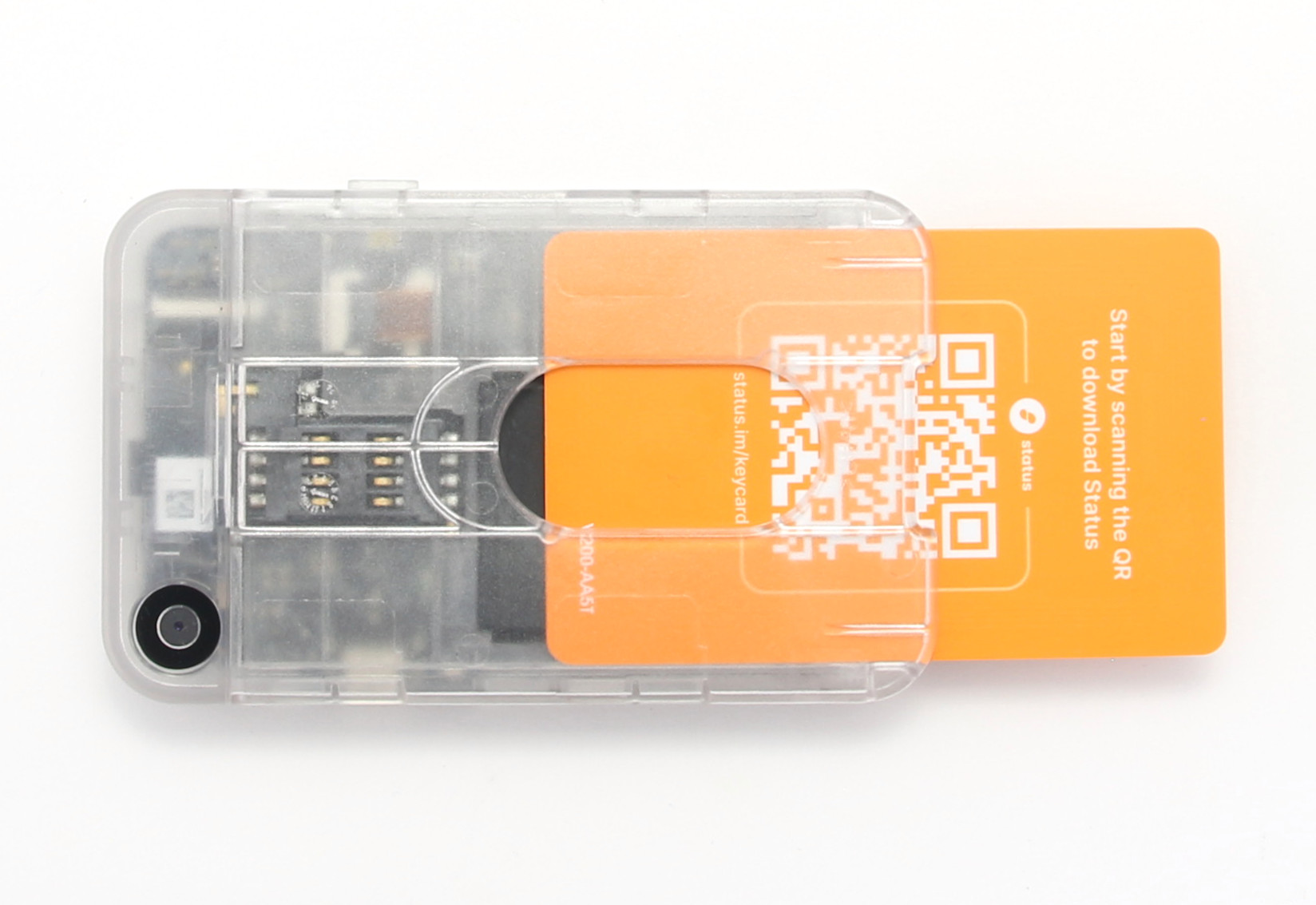
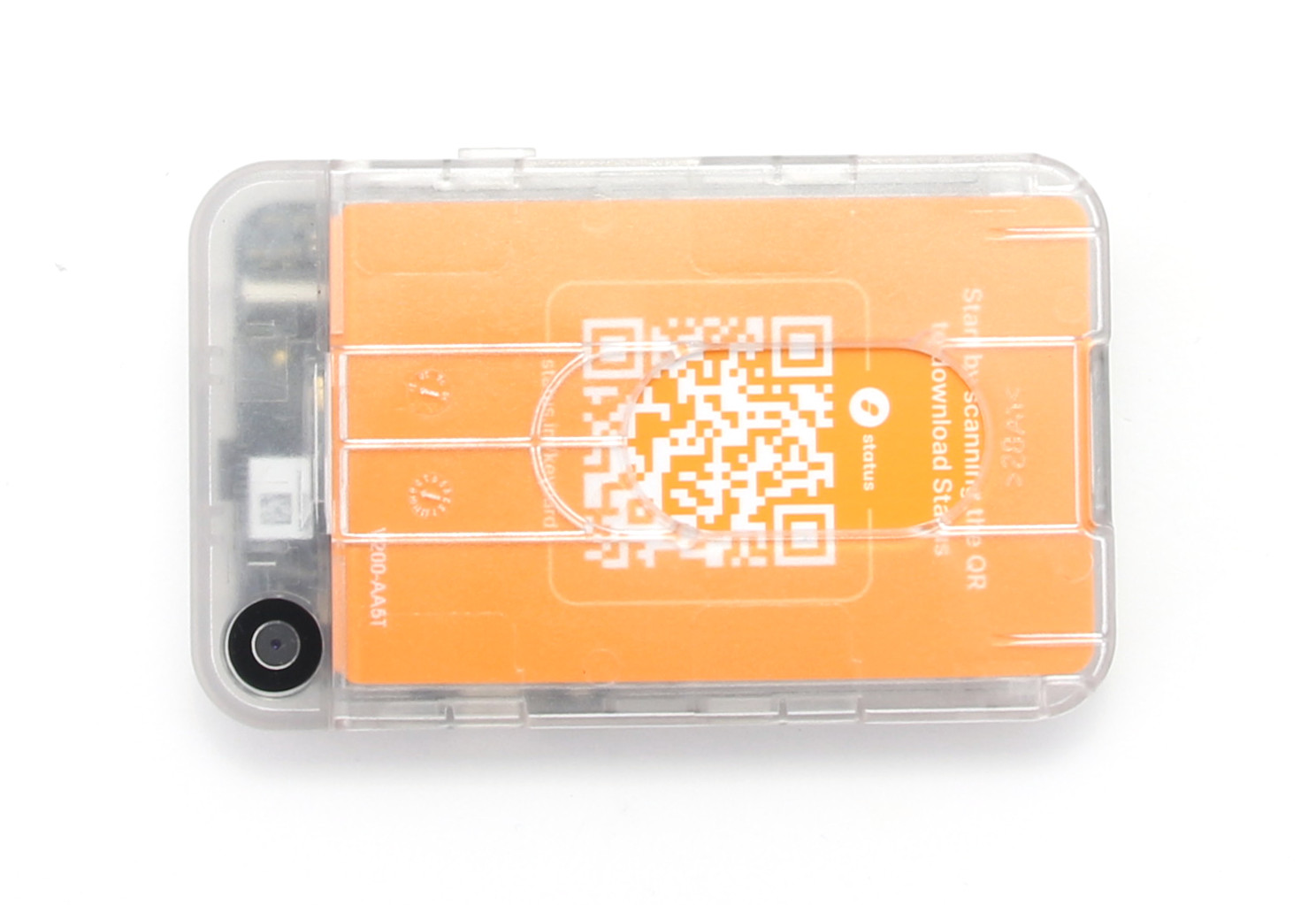
From a technical point of view, the shell functions as a reader and interface. It does not have its own permanent storage of private keys. These always remain on the inserted keycard, which has an EAL6+ certified secure element chip. The shell itself uses an STM32 microcontroller to handle the user interface and camera functions.
Accessories in the keycard ecosystem
The ecosystem around the Keycard Shell is characterized by modularity. The most important accessories are additional keycards. As the shell can manage an unlimited number of cards, it is easy to buy additional cards for different purposes, such as for multisig setups or as gifts.
If you don’t want to use the shell, you can also use the keycards with a simple USB smartcard reader on your PC or via NFC on your smartphone, which emphasizes the flexibility of the system. Such a compact keycard reader is also included in the store.
Personal conclusion on the first impression
The Keycard Shell concept is well thought out and consistently designed for durability. The replaceable battery and the ecological packaging make a particularly positive impression. The feel is more technical and functional than luxurious, but this suits the target group, which values transparency and maintainability. The fact that smartcards are required for operation is a change compared to monolithic wallets, but offers logical advantages in terms of security. For example, the shell can remain at home, while the important and space-saving keycards can always be carried in your wallet.
Setting up the Keycard Shell
Never use a hardware wallet that is already set up. You must choose your own PIN code or password and do the backup yourself. This is not given by anyone!
The setup process for the Keycard Shell differs slightly from conventional hardware wallets, as two components have to be brought together here. First, the battery must be inserted into the compartment on the back. As soon as you insert a keycard into the slot, the device starts automatically. Communication between the shell and the card takes place internally and, according to the manufacturer, the private keys never leave the secure element of the card.
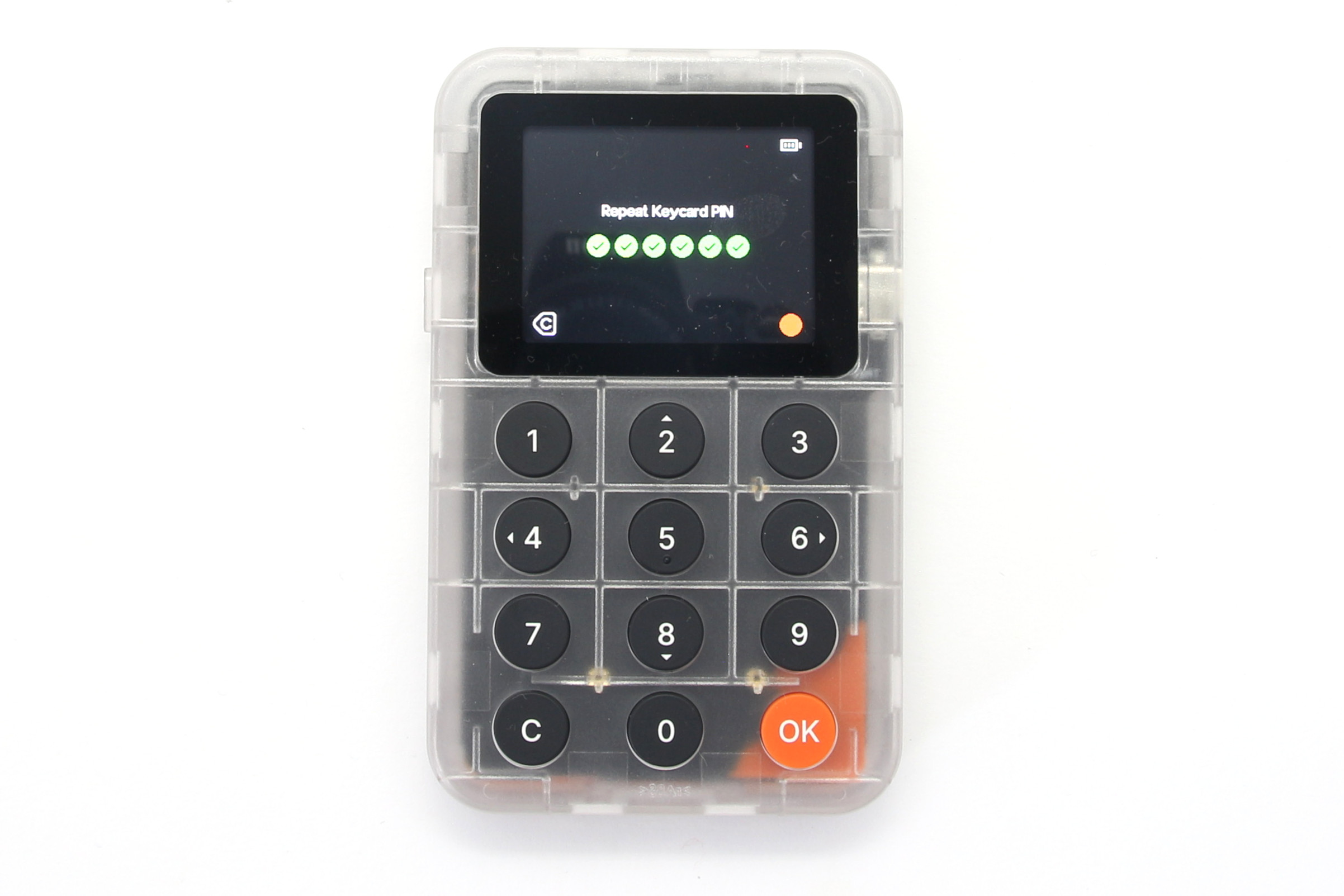
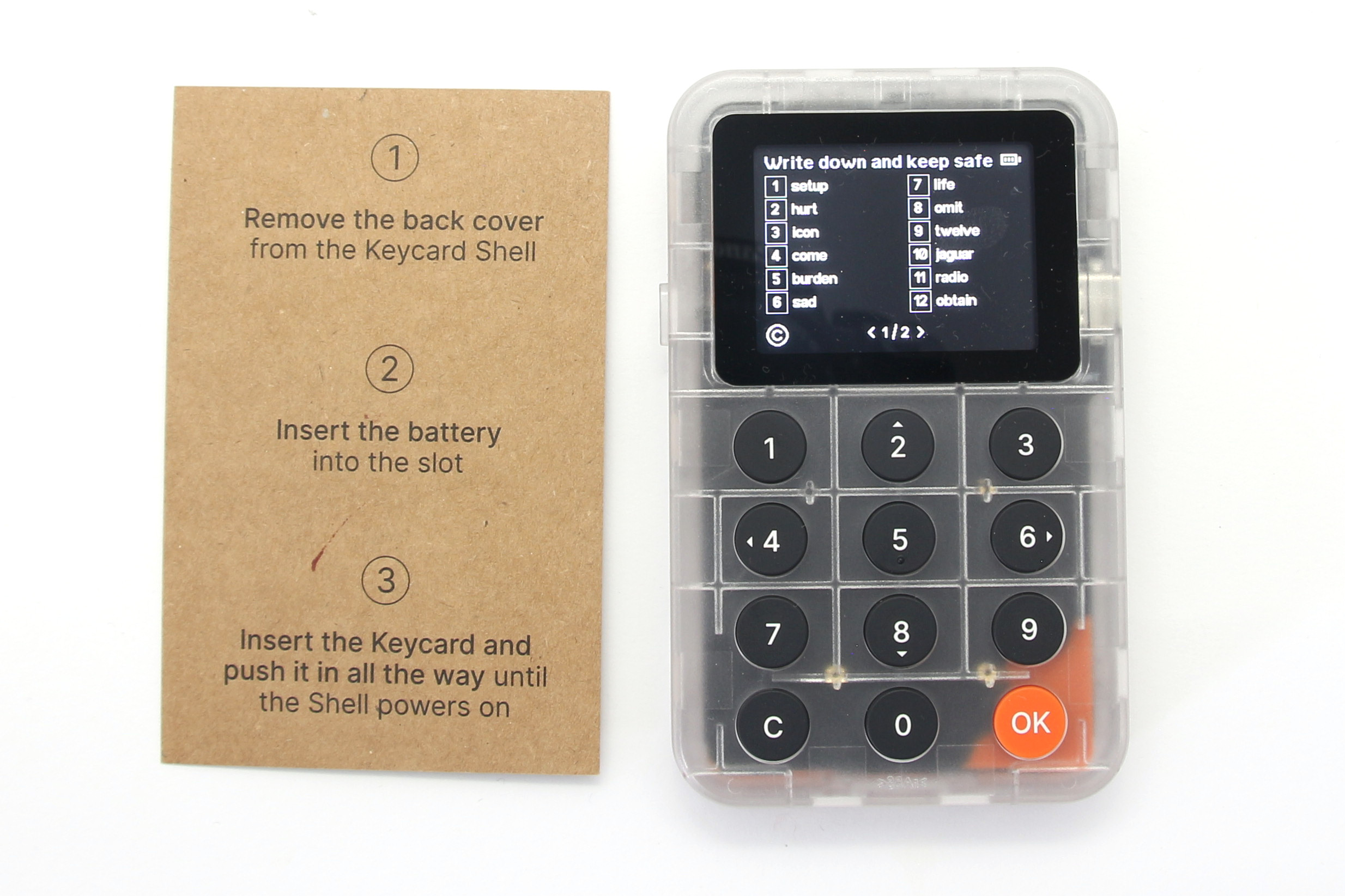
The user is now guided through the creation of a PIN. The menu navigation on the display is practical and guides you through the steps in a linear fashion. A Duress PIN (emergency PIN) can be set up directly, which opens a separate, empty area or an area with low credit in the event of a threat. The wallet is then generated. You can either create a new seed phrase according to various standards or import an existing one.
Your Recovery Seed is the backup key to all your cryptocurrencies and apps. The Recovery Seed (backup) can only be viewed once. Never make a digital copy of the Recovery Seed and never upload it online. Keep the Recovery Seed in a safe place, ideally also safe from fire and water. Special backup products, for example Billfodl are suitable for this.
No one but yourself can be held liable for any financial losses caused by improper handling of sensitive data.
As the shell has buttons, entering or confirming words is pleasantly haptic.
The importance of the backup strategy during initialization
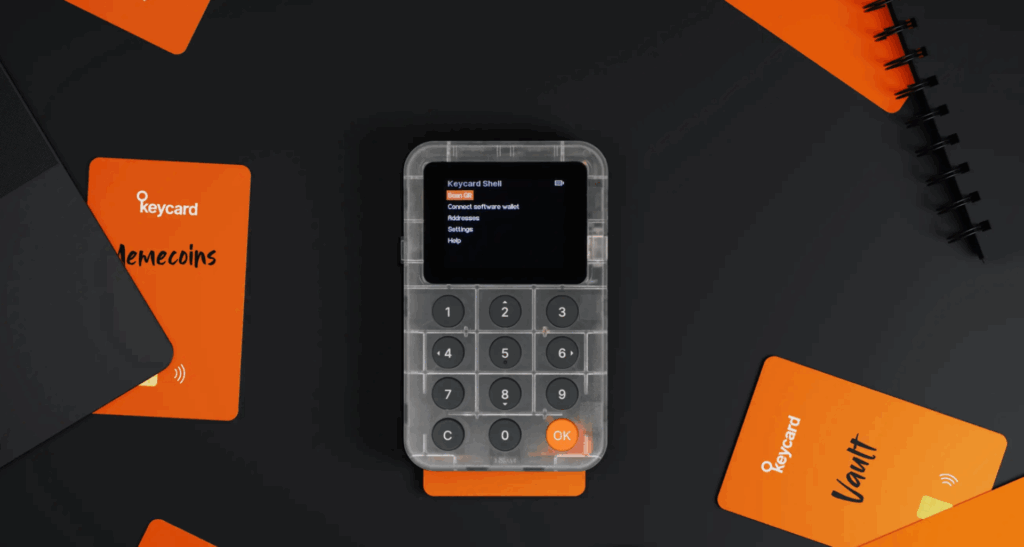
Once the primary setup is complete, it is possible to use the second card as a backup card. As two cards are included in the scope of delivery, you can now also set these up and import the existing seed phrase instead of generating a new one. This is a critical and important step. Unlike with many other wallets, where the paper backup is the only salvation, a physical second card can serve as a fully-fledged replacement here.
Coupling with software wallets
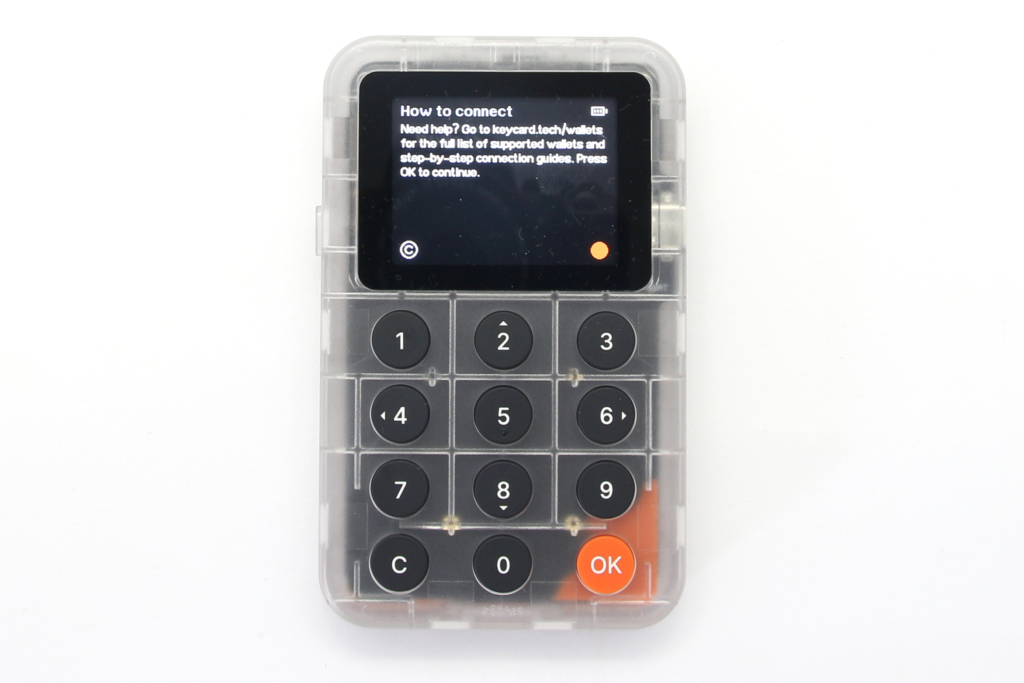
For Keycard and Keycard Shell to work, you need a wallet app that supports signing via QR code. Once you have set up your keycard, simply connect it to a compatible wallet app such as MetaMask or BlueWallet. This eliminates the need to manually type in complicated connection information and ensures that the shell does not have to establish a direct data connection via cable or Bluetooth if this is not desired. The entire process appears somewhat more technical than with other hardware wallets, but is logically structured.
The setup requires a little more understanding of the interaction between the reader and smartcard, but is easy to solve. I find the option of creating a map backup directly a great security benefit. The physical keypad makes it much easier to enter PINs compared to pure touchscreens or two-button systems.
Handling
In day-to-day operation, the Keycard Shell is characterized by its air-gap functionality. This means that the device does not need to be connected to a computer by cable for transactions. If you want to sign a transaction, you prepare it in a compatible software wallet on your computer or smartphone. The software then generates a QR code containing all the transaction details.
This code is scanned with the integrated camera of the Keycard Shell. The Shell display now shows the relevant data such as recipient address, amount and charges in plain text. This is a decisive security advantage over “blind signing”, as you can see exactly what you are releasing. After verification, confirm the transaction by entering the PIN on the keypad. The shell then generates a QR code with the signed transaction, which in turn is scanned by the computer’s webcam or smartphone camera to send the transaction to the network.
High ease of use in everyday life
Operation via the physical buttons is precise and provides good feedback. The display is large enough to show addresses legibly, even if it is not a high-resolution smartphone display. The replaceable battery means you don’t have to worry about the device becoming unusable after years of storage due to a faulty battery; a fresh battery is all you need to revive it. The menu structure is kept flat, which speeds up navigation. You can tell that the focus is on security and transparency, and less on graphical gimmicks.
Compatibility of the Keycard Shell
A decisive factor for every hardware wallet is the support of various cryptocurrencies and software interfaces. The Keycard Shell currently supports the Ethereum and Bitcoin blockchain. Due to the openness of the system, an extension is theoretically possible, provided that the community or developers provide corresponding applets.
The Keycard Shell is very flexible when it comes to operating systems. It works platform-independently, as it communicates primarily via QR codes. This means you can use it on both desktop and mobile devices.
Integration with third-party software is particularly important, as the shell itself does not offer its own portfolio management on the display. The device works with the following wallets and services, among others:
- Metamask
- BlueWallet
- Status
- Bitcoin Safe
- Cove
- Bull Bitcoin
- Walleth
- Sparrow
- Nunchuk
- Specter
- Rabby
- UniSat
- imToken
- Bitget
Especially the seamless integration with wallets such as MetaMask (via QR-based ERC-4527 hardware wallet feature), Rabby or BlueWallet makes it a versatile tool in the DeFi and Bitcoin sector.
Documentation & Support
As is typical for open source projects, the Keycard Shell documentation is very technical and detailed, but is often primarily available in English. You can find extensive instructions on GitHub and the developer website. For the average user, there are “Get Started” guides that explain the basic steps. Complete localization into other languages is often community-driven and can vary.
Support is provided less via traditional hotlines and more via community channels such as Discord or Github. Developers often answer directly here. This ensures a high level of technical competence in the answers, but requires a certain amount of initiative on the part of the user. There is no guarantee of 24/7 support in German. If you have more in-depth technical questions, you can view the source code yourself, which is the ultimate form of documentation.
Anyone who feels comfortable in the open source sector will love the transparency and depth of information. Beginners might feel a little intimidated by the English-heavy and technical orientation of the help pages, but usually find help quickly in the active community.
Security aspects of the Keycard Hardware Wallet
Security is the core promise of the Keycard Shell. The security model is based on the strict separation of interface (shell) and key memory (keycard).
Multi-layered security architecture
The heart of security is the keycard itself. It includes a secure element that is certified to EAL6+. This corresponds to the security standard that is also used in high-security applications in the banking sector. The private keys never leave this chip. The shell only serves as a trustworthy display and input device. As the shell’s firmware is completely open source, the code can be audited by independent experts to rule out backdoors.
Air-gapped operation
Another safety feature is air-gapped operation. Since no wireless connections such as Bluetooth or WiFi are installed and the USB port is used purely for power supply, provided this is set in the settings, the attack surface for remote attacks is minimal. In addition, the Duress PIN protects the user in the event of a physical threat by displaying a plausible but false wallet. The supply chain aspect is also addressed: The keys are not generated in advance, and the modularity allows the inexpensive smartcard to be easily replaced in the event of suspicion without having to discard the more expensive reader. The replaceable battery also ensures that the device does not have to be opened or manipulated when the power supply runs out, which preserves the physical integrity of the housing over a long period of time.
Verification of the keycard shell
An often underestimated but critical aspect of commissioning a new hardware wallet is ensuring its integrity. With the Keycard Shell, you don’t have to rely solely on physical seals or adhesive strips on the packaging, which could theoretically be tampered with. The manufacturer has integrated a cryptographic verification process that ensures that the hardware is authentic and the firmware has not been compromised. This process is interactive and utilizes the strengths of the device: display and camera.
You start the process in the shell menu, whereupon a QR code is generated. You scan this with your smartphone or computer via a special website of the manufacturer. In return, the website generates a response code, which you in turn have to scan with the camera of the keycard shell. This “cryptographic handshake” confirms that the device has the correct keys, which only an original device can have.
Security updates without cable connection
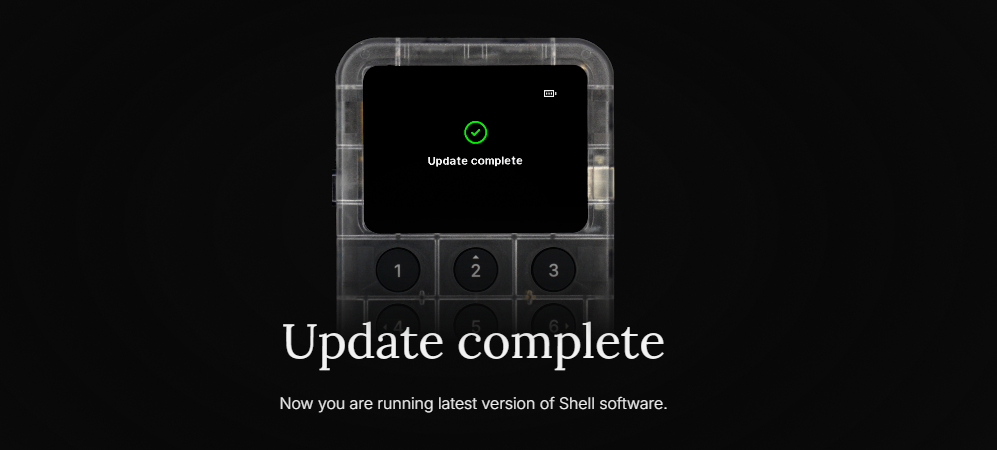
After verification is before the update. As the crypto world is changing rapidly, it is essential that the keycard shell remains up to date. This not only updates the firmware of the microcontroller, but also the databases required for decoding transaction data (ABI data). This is the only way the display can translate cryptic hex codes into readable information. The special feature of the Keycard Shell is its flexibility when importing these updates. You can connect the device to the computer in the classic way via the USB-C cable and use the updater in the browser.
However, for users who take the “Air Gap” promise seriously and never want to physically connect the device to an Internet-enabled computer, there is also a mode for updates. Even if the process via the updater in the browser is faster and more convenient, the option to also carry out air-gapped updates underlines the high security requirements. It is important to understand that these updates only affect the shell – i.e. the interface and operation. The actual smartcard on which your private keys are stored remains unaffected, as its software is permanently installed and cannot be changed.
Personal conclusion on safety
The security concept is extremely robust. The combination of an EAL6+ chip on the card and a verifiable, offline interface in the form of the shell eliminates many of the weaknesses of traditional hardware wallets. The transparency provided by open source creates additional trust.
Product Specifications
| Advantages | |
| Disadvantages | |
| Compatibility | Metamask, BlueWallet, Status, Bitcoin Safe, Cove, Bull Bitcoin, Walleth, Sparrow, Nunchuk, Specter, Rabby, UniSat, imToken, Bitget |
| Cryptocurrencies | Bitcoin, Ethereum |
| Package Contents |
|
| Brand | Keycard |
| Platform | Windows, Linux, Mac, Android, Chrome OS, iOS |
| Altcoin Support | |
| Supported Coins | 2 (to the complete list) |
| Open Source | |
| Secure Element | |
| Display as 2FA | |
| Interfaces | USB, Camera |
| Input Options | Buttons |
| Weight | 105g |
| Size | 65x105x15mm |
User Reviews 0
No reviews yet
FAQ 0
Ask your own questionNo questions about the product available yet